
Add expenses offline
Add expenses on a plane or a mountain. Everything syncs when you are back.
Offline. Changes will sync when you are back.
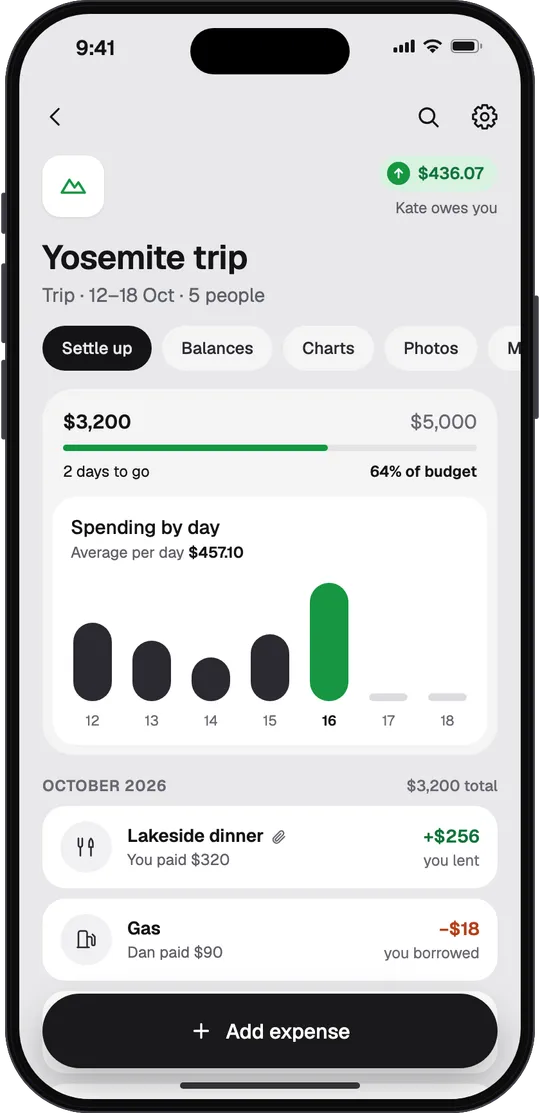
Lakeside dinner
You paid $320+$256
You paid $320+$256
Track shared bills for trips, flats and couples. Scan a receipt, say it or type it, and STLD works out who owes whom. Charts, search and currency conversion, which Splitwise keeps for Pro, are free.


How it works
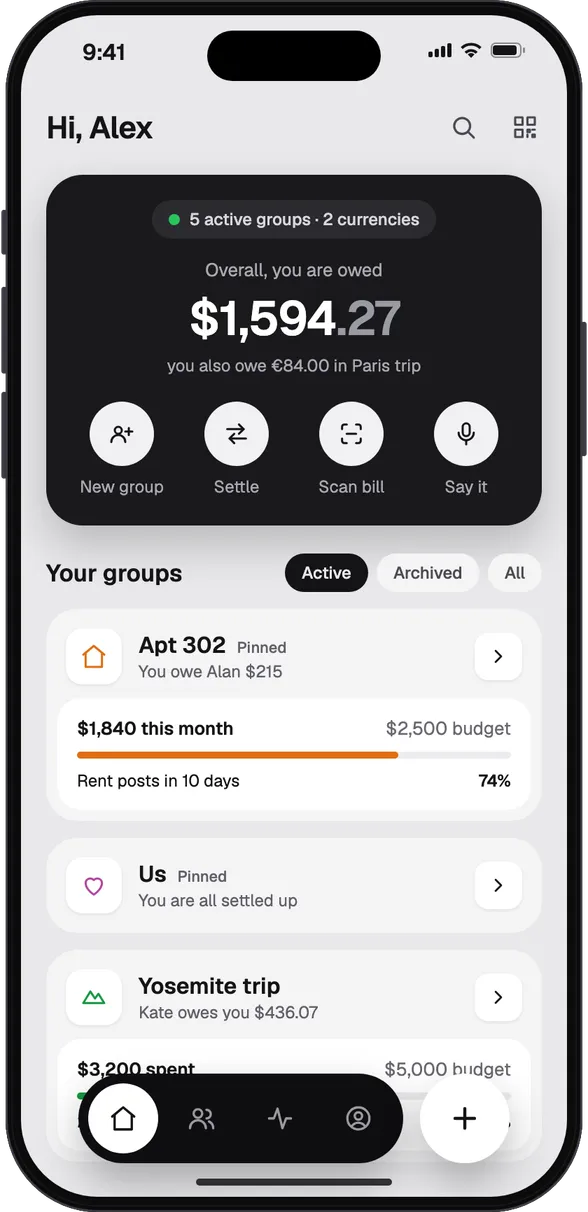
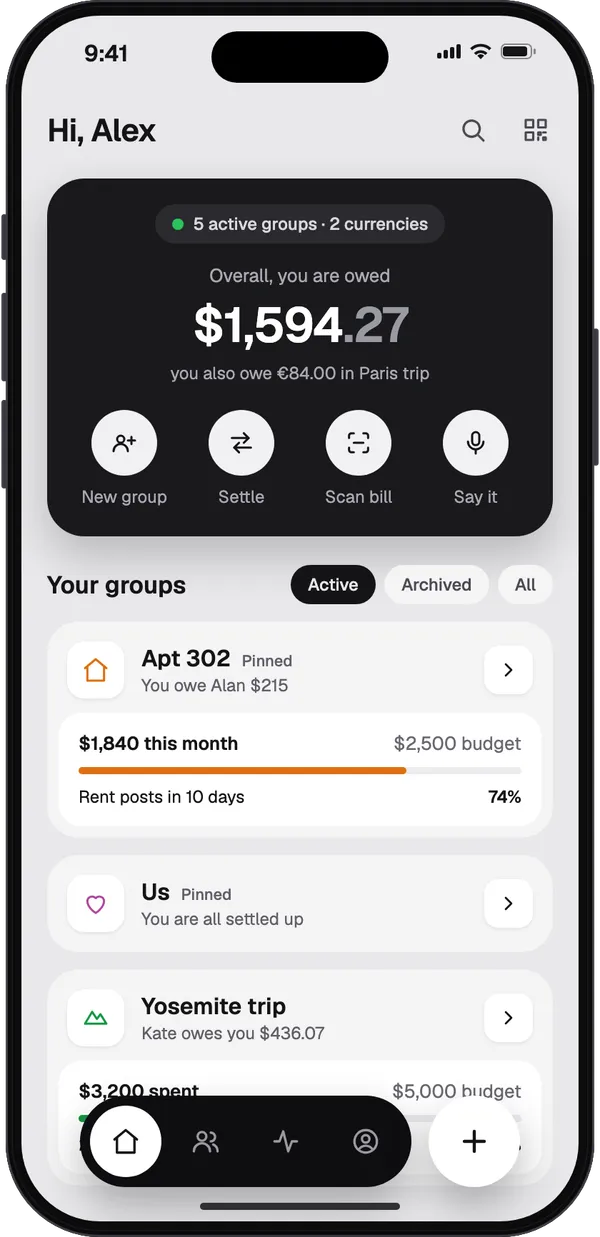
A trip, a flat, a couple or an event. Add people by name; they do not need the app to be in it.
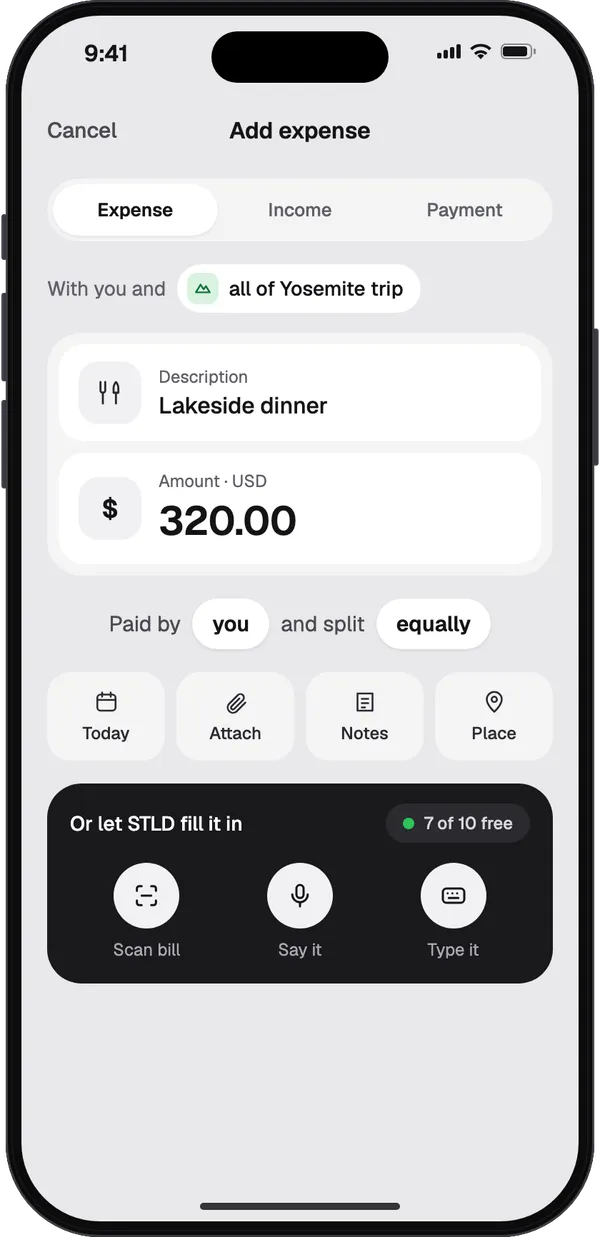
Type it, scan the bill or say it. Split it equally, unequally, by shares, by percentages or by adjustment.
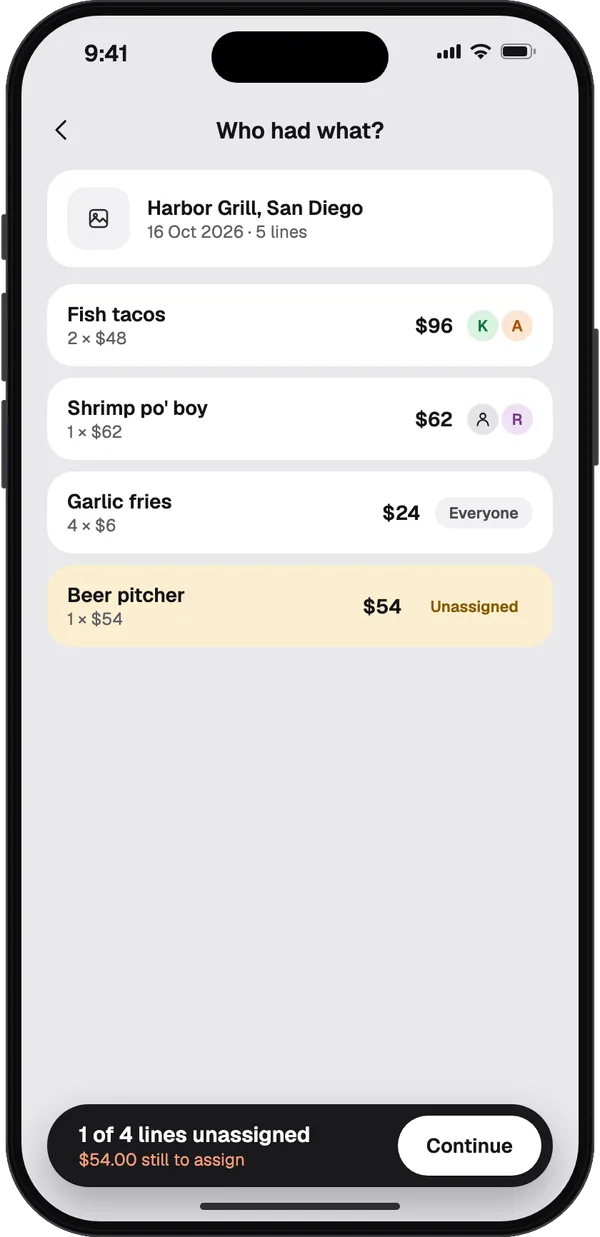
Scan the receipt, tap who had what, and tax and service are shared in proportion.
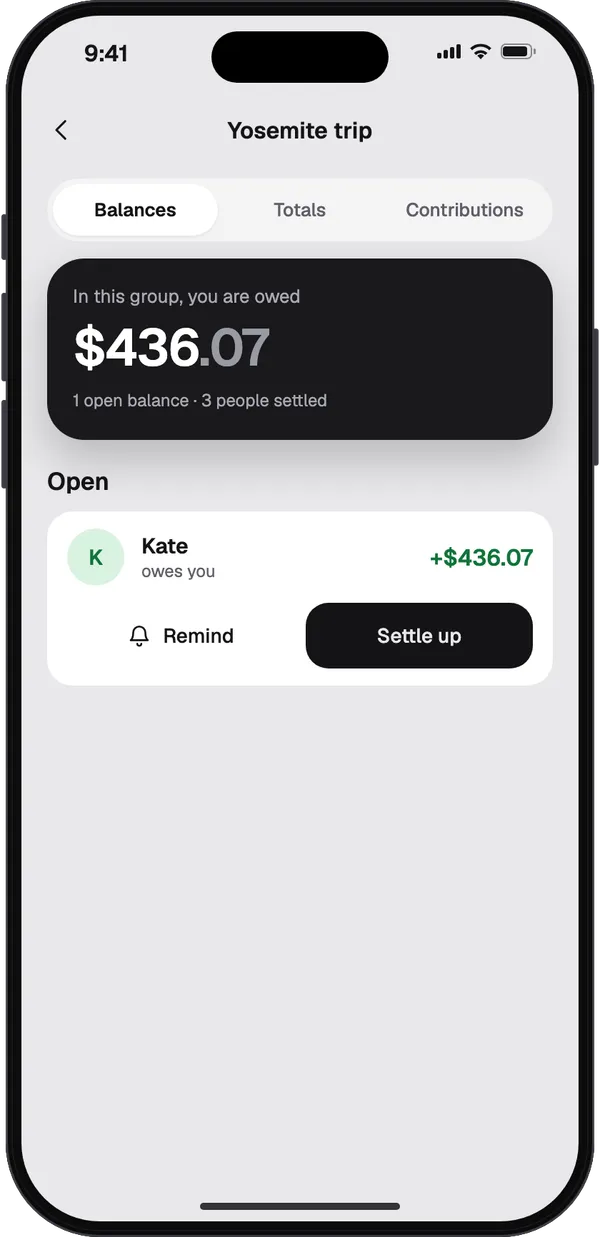
See who owes whom in plain words, record a payment and remind the ones who forget. Simplify debts, and fewer payments settle everyone.
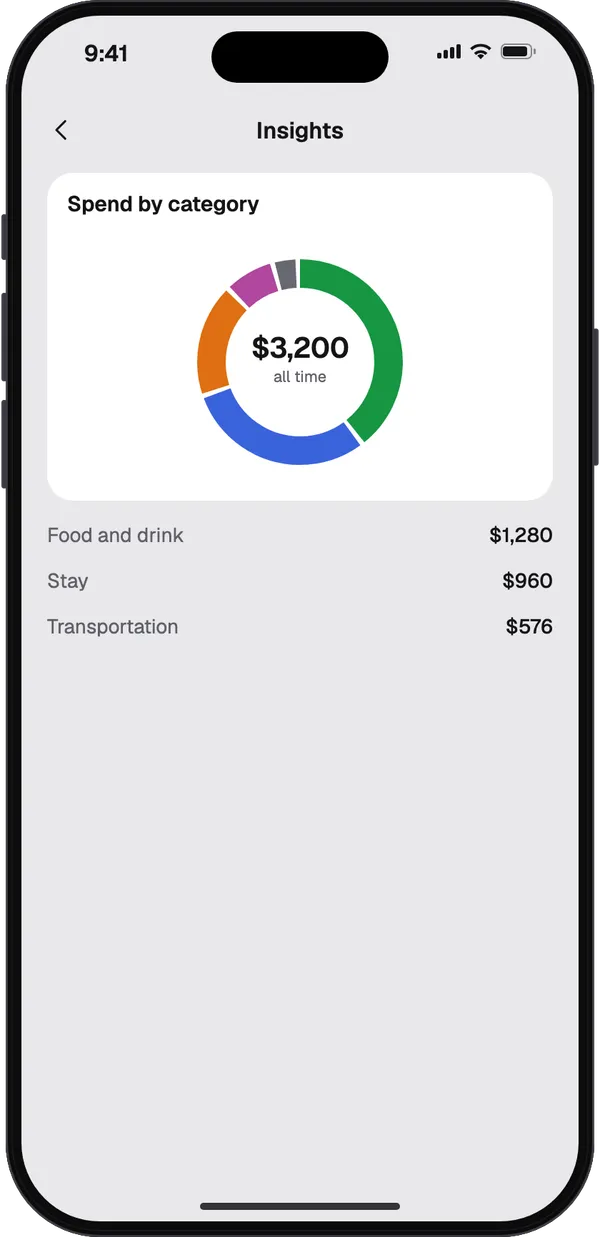
Spend by category and by month, and who paid for whom, over the period you choose.
Features
Add expenses on a plane or a mountain. Everything syncs when you are back.
Pay in euros on a dollar trip. About 30 currencies convert automatically at the rate on each expense's date; for the others you enter the rate you got.
Turn on simplify debts and STLD works out the fewest payments that clear everything.
Add in seconds
Scanning, speaking, typing a sentence and written summaries share ten free AI uses. Filling in an expense yourself never uses one.
Point the camera at a receipt or pick a PDF, and STLD fills in the expense from it.
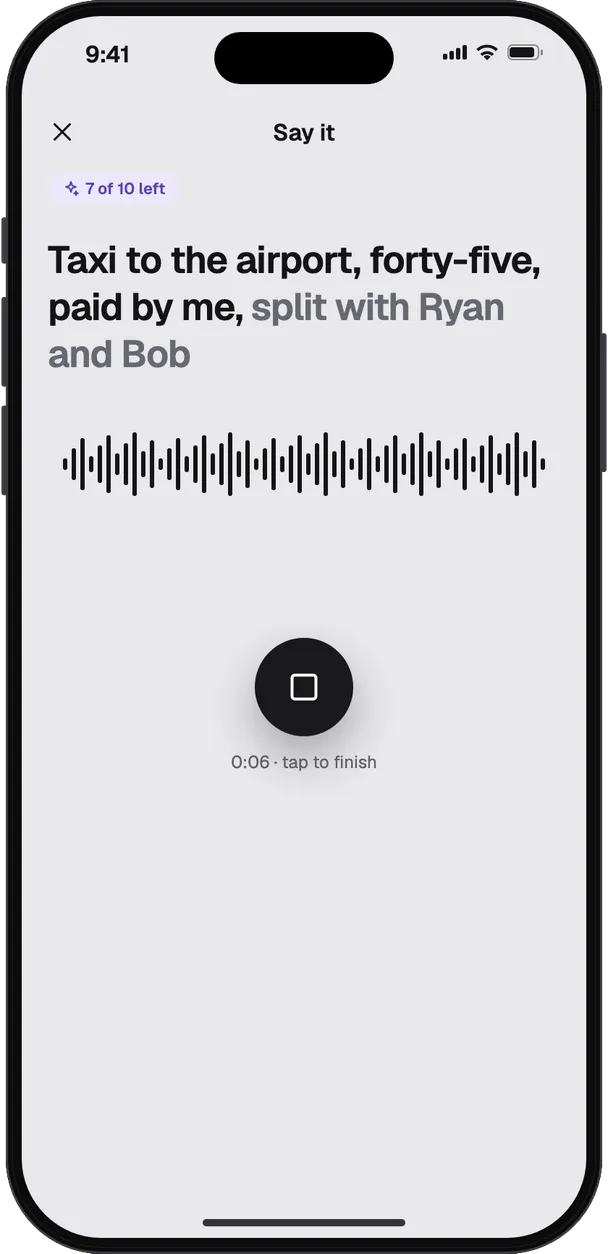
"Taxi to the airport, forty-five, paid by me, split with Ryan and Bob." Your voice is turned into text on your phone; only the text is sent.
One sentence is enough: what, how much, who paid and who shares.
Compare
Charts, search and currency conversion, which Splitwise keeps for Pro, are free in STLD. Bring your groups across with the importer.
| STLD | Splitwise | Tricount | Settle Up | Splid | |
|---|---|---|---|---|---|
| Price | Free, 10 AI uses included | Free, Pro is paid | Free | Free, Premium is paid | Free |
| Charts | Yes | Pro | Yes | Premium | Not stated |
| Currency conversion | Yes | Pro | Yes | Yes | Yes |
| Search every expense | Yes | Pro | Not stated | Not stated | Not stated |
| Receipt scanning | Part of 10 free AI uses | Pro | Not stated | Not stated | Not stated |
| Add expenses offline | Yes | Not stated | Yes | Yes | Yes |
| Expenses a day | Unlimited | Up to 4 free | Not stated | Not stated | Not stated |
| Ads | None | Ad-free is Pro | Not stated | Ad-free is Premium | Not stated |
| Get the app |
| STLD | Splitwise | |
|---|---|---|
| Price | Free, 10 AI uses included | Free, Pro is paid |
| Charts | Yes | Pro |
| Currency conversion | Yes | Pro |
| Search every expense | Yes | Pro |
| Receipt scanning | Part of 10 free AI uses | Pro |
| Add expenses offline | Yes | Not stated |
| Expenses a day | Unlimited | Up to 4 free |
| Ads | None | Ad-free is Pro |
| STLD | Tricount | |
|---|---|---|
| Price | Free, 10 AI uses included | Free |
| Charts | Yes | Yes |
| Currency conversion | Yes | Yes |
| Search every expense | Yes | Not stated |
| Receipt scanning | Part of 10 free AI uses | Not stated |
| Add expenses offline | Yes | Yes |
| Expenses a day | Unlimited | Not stated |
| Ads | None | Not stated |
| STLD | Settle Up | |
|---|---|---|
| Price | Free, 10 AI uses included | Free, Premium is paid |
| Charts | Yes | Premium |
| Currency conversion | Yes | Yes |
| Search every expense | Yes | Not stated |
| Receipt scanning | Part of 10 free AI uses | Not stated |
| Add expenses offline | Yes | Yes |
| Expenses a day | Unlimited | Not stated |
| Ads | None | Ad-free is Premium |
| STLD | Splid | |
|---|---|---|
| Price | Free, 10 AI uses included | Free |
| Charts | Yes | Not stated |
| Currency conversion | Yes | Yes |
| Search every expense | Yes | Not stated |
| Receipt scanning | Part of 10 free AI uses | Not stated |
| Add expenses offline | Yes | Yes |
| Expenses a day | Unlimited | Not stated |
| Ads | None | Not stated |
"—" means that app's own website or store listing does not say. Checked 26 September 2026 on splitwise.com, tricount.com, splid.app and Settle Up's App Store listing.
Privacy
STLD shows no ads, and nothing you enter is used for advertising.
Speech becomes text on the device. Only the words are sent, and only when you ask.
STLD records what you paid each other. It never moves money or asks for your bank.
Switching
Expenses, payments and people come across with their balances, and any row the importer cannot read is listed for you. Comments, receipts and split settings are not in Splitwise's export.
How importing worksFAQ
Anything else? Write to us from the app, under Account, Contact support.
It is “settled” without the vowels, and you say it the same way: settled. That is the point of the app: everyone ends up square.
Yes. Groups, expenses, balances, charts, search, currencies and import are free for everyone. Scanning a receipt, saying or typing a sentence, and written summaries share ten free AI uses.
No. Add anyone by name. When they join from your invite link, they take their place in the group with everything already recorded.
Yes. Export a group on splitwise.com as a spreadsheet and pick the file in STLD. Expenses, payments and people come across, and any row it cannot read is listed. Comments, receipts and split settings are not in the export.
For the everyday things, yes. Groups, expenses, balances and payments are on your phone first and sync when you are back online. Scanning, speaking or typing to the AI, signing in and joining a group need a connection.
No. It records payments you make by bank transfer, in cash or with a payment app, so balances stay right. It never touches your money.
You can record expenses in 47 currencies, several in one group. About 30 of them convert automatically at the rate on each expense's date; for the rest, enter the rate you got, and balances can then be shown as one total.
On iPhone and Android. No ads, and no subscription to split a bill.